Designers Can Set a Default Option for Null Values in the Properties
Sometimes, applications are full of entries, and it might be difficult to pick just the required rows and work only on them. If the Designer has enabled the Properties in their application, users can filter a subset of data matching the selected criteria. It's useful if they want to work and export the rows satisfying such criteria.
When users add a Property to include the rows in the subset, they can choose what to do with rows that have null values for the selected field: Include Null, Exclude Null, and Null Only values.
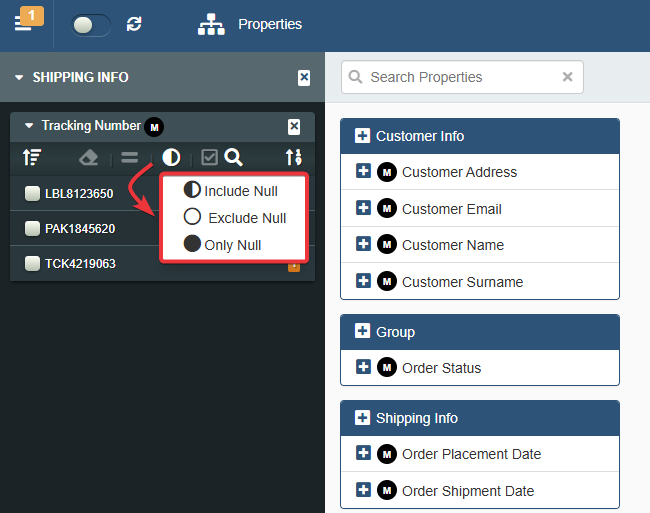
From eLegere 3.0 Scuropasso, Designers can now set the default option for null values in the application's Properties. Before 3.0, the default option was Include Null and Designers couldn't change it.
Note
Include Null still remains the default option for null values when the Designers create a new application.
The Properties panel in Design Mode displays the new Settings button.

By clicking it, a window in which you can choose either Include Null, Exclude Null, or Null Only as the default option appears.

Each time a user adds a Property from the panel, the application applies the option that the Designer has selected for the null values. (Obviously, the user can select another option for that Property if desired.)

See How to Configure the Default Behavior for Null Values in the Properties for more information about null values and Properties.