Read-Only Mode for Users - Viewer Flag in Domain Settings
Now eLegere administrators can enable a read-only mode for a user on an installation: the user can access the applications without the chance to adding nor edit any data. This mode is called Viewer.
Warning
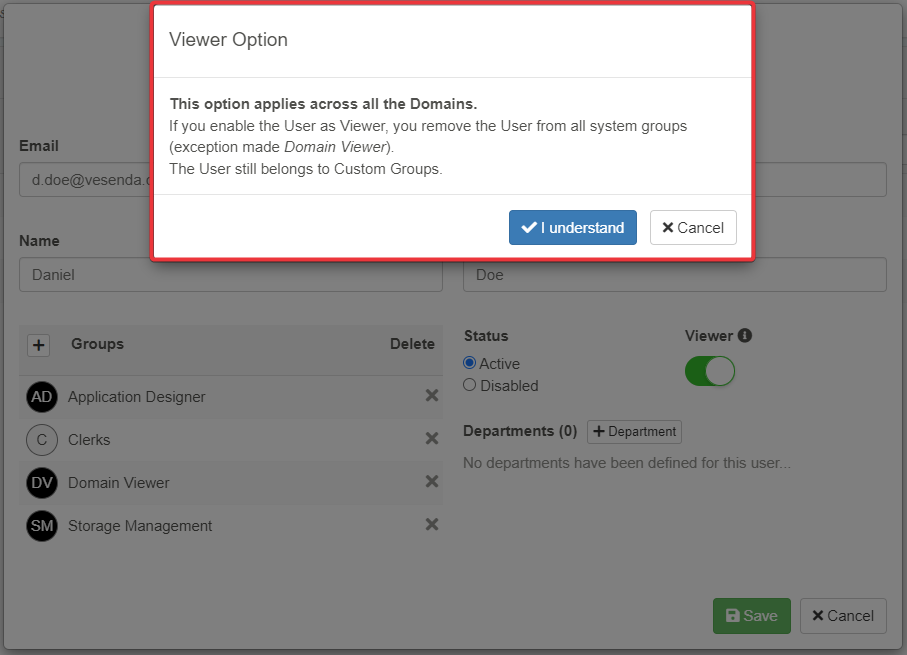
This option applies across all the Domains. If you enable the User as Viewer, you remove the User from all system groups (exception made Domain Viewer) in all the Domains.
The User still belongs to Custom Groups.
Administrators can enable this mode for a user through the Viewer toggle-switch. You find the Viewer toggle-switch in the User's configuration in the Domain Settings or during an account's creation.
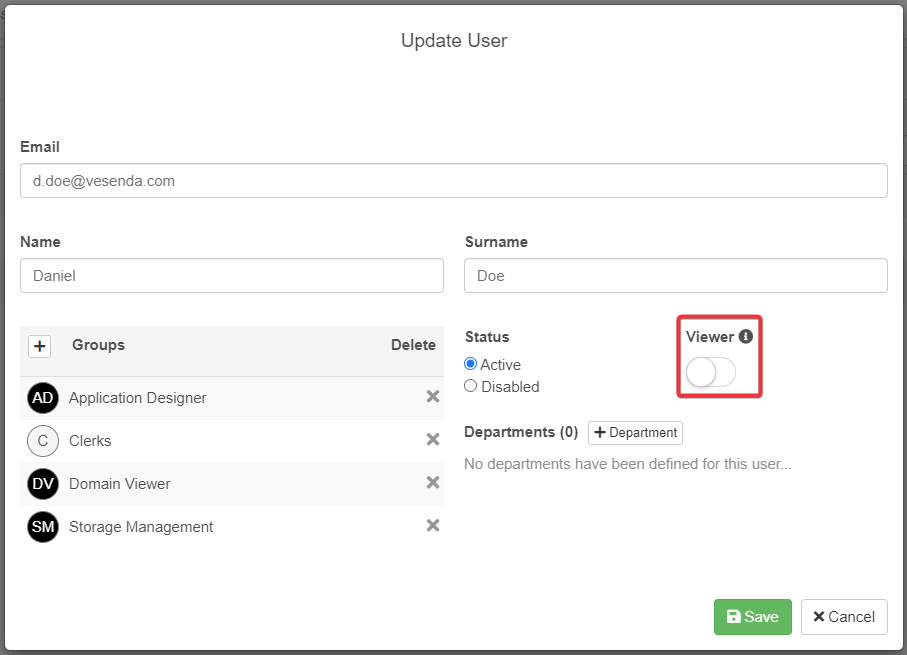
- The action removes the user from all the System Groups (e.g. Application Designer, Storage Management) exception made for Domain Viewer system group.
- The User remains member of all the assigned Custom User Groups created for the Domains.
A window asks for confirmation before applying the Viewer mode to the User.
Tip
The icon in the Domain Settings > Users helps to identify which Users are Viewer.
