Retrieve a Detail's Relation Key
Learn how to retrieve a Detail's Relation key required for some API requests.
You can retrieve the Detail's Relation key from the Design Mode by following the steps below:
-
Access the Design Mode of the application containing the Detail table where you want to perform the API requests.
Note
Accessing the Design Mode requires the Application Designer permission. See What are the Design Tasks? for more information about permissions and Design Mode.
-
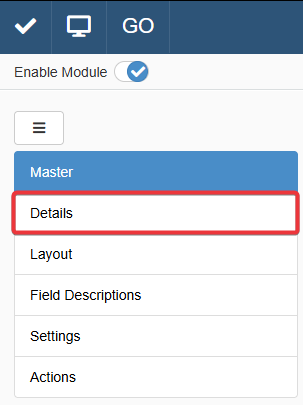
Click on the Details tab in Design Mode.
-
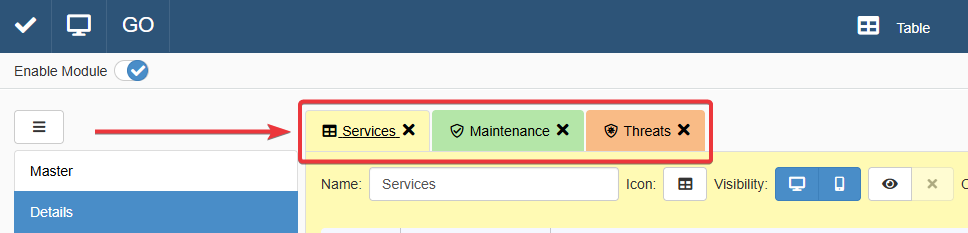
Click on the Detail's tab where you want to perform the API request.
-
Click on the Relation Key button inside the Detail's tab.

A notification will inform you that you copied the Relation Key successfully.
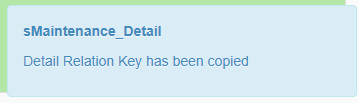
Use the copied value from step 4 for any API parameter corresponding to the Detail's Relation Key.
Success
You've retrieved the Detail's Relation Key. You can now use it with any API methods requiring it.