Designers Can Restrict What Characters to Allow in String's Texts
According to the workflow, Designers might have to restrict what characters to allow within field column's text. An example might be an application where users shouldn't use special characters for information like usernames, bank account numbers or addresses.
From eLegere 2.16 and onwards, Designers can configure in the Storages to forbid in String fields. And they can enable or disable the characters' restrictions at any time, even on already existing fields.
You can add a restriction by accessing the Storage Editor, moving to the Fields Mapping panel, and listing the forbidden characters under the Advanced column.
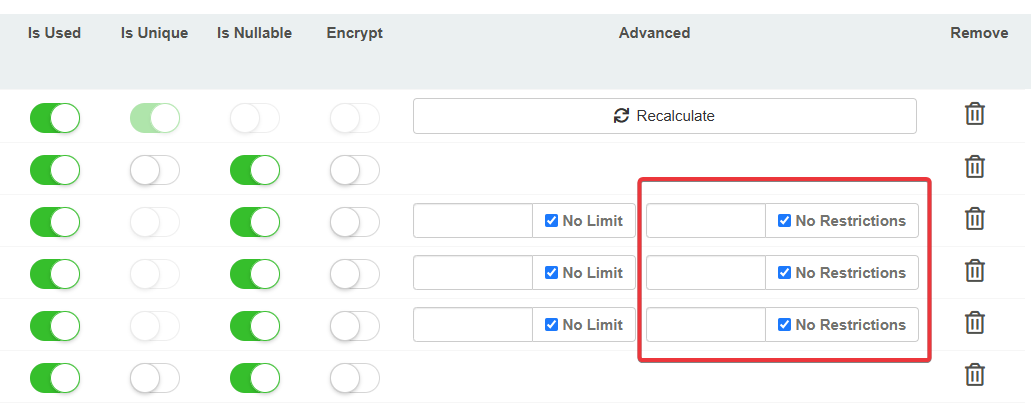
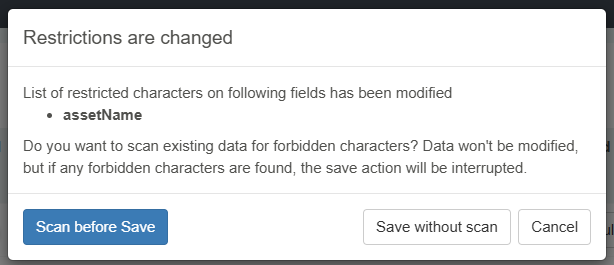
If the Designer adds a character restriction to an existing String field, the Storage asks whether to verify the presence of restricted characters in the column or leave the task to the user.
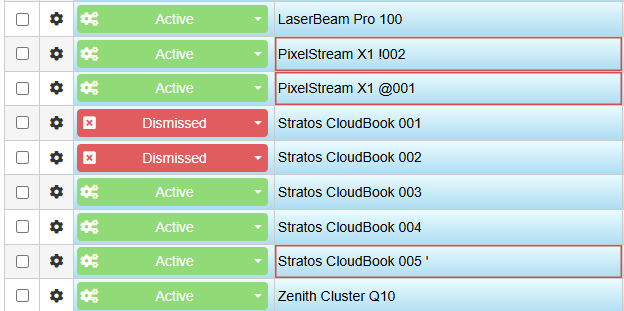
If the user tries to save one or more cells containing restricted characters, they can't save until they edit the non-complaint cells in the column.
See How to Forbid Certain Characters in a Field sections in the Designer Guide for more information