Input Form Becomes a Multipage Form Assisting Users in Inserting Data
Many user might have difficulties in navigating complex application with dozens of columns, drop-down lists, editability conditions, and actions. In such cases, it might be useful to use the new Input Form.
The new Input Form goes beyond being a simple form that the Designers can customize: it enables to create a multipage form guiding the user into inserting the required data. The users navigate each page with all the information to be filled. And now Designers can insert Logical Columns in Input Form, enabling the users to launch Custom Actions from the multipage form, view calculated logical fields in real time or an AppLink.
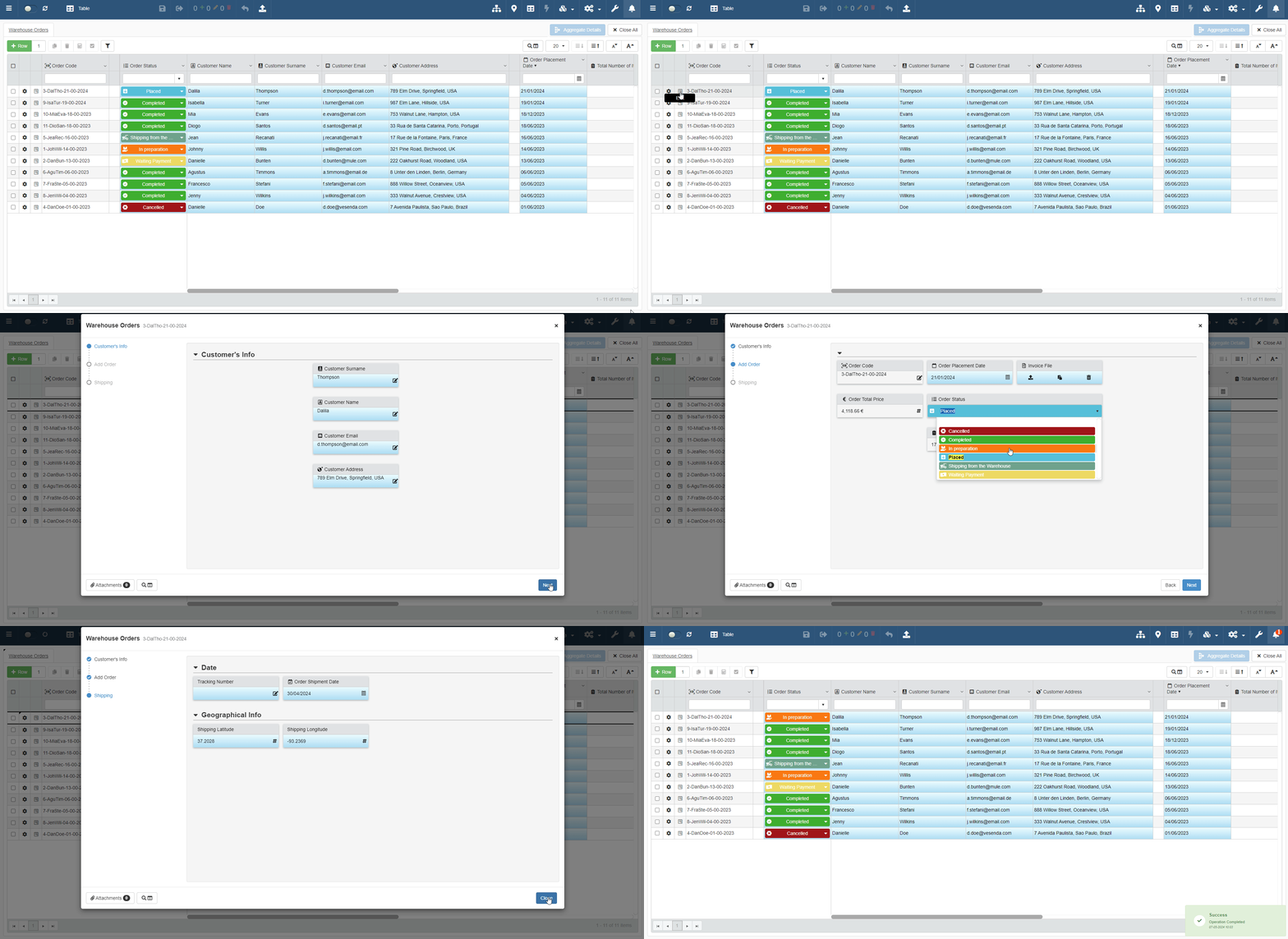
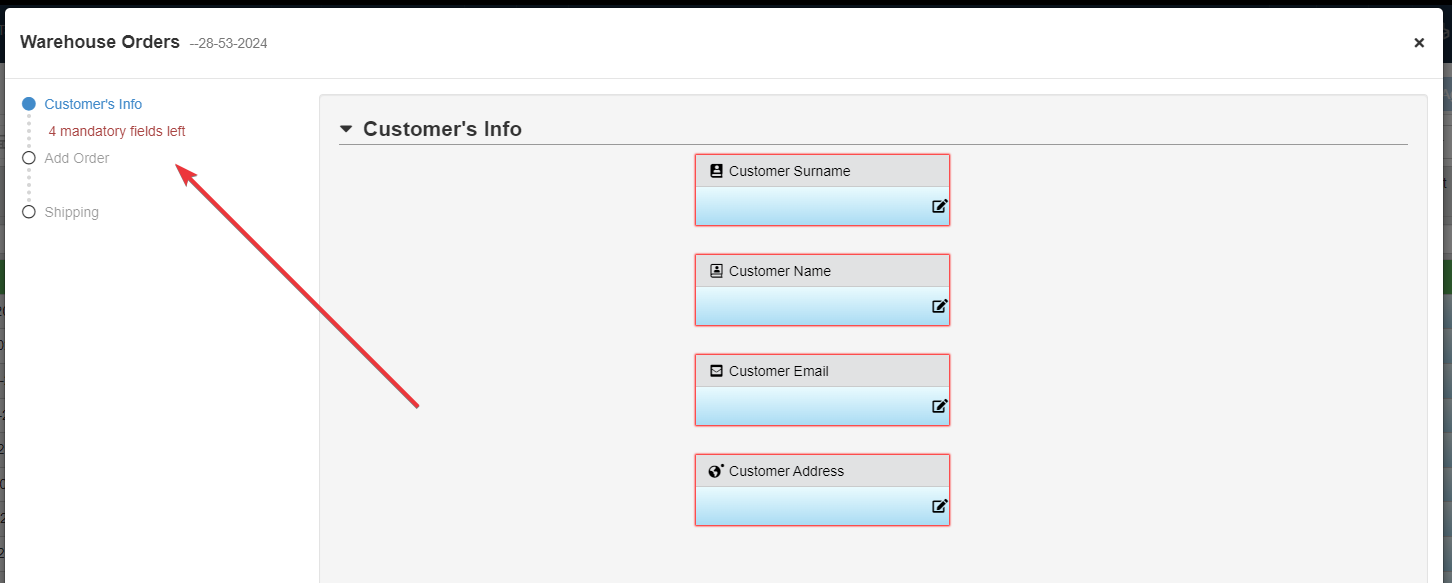
The multipage form warns the user if any data is missing at each step.
The new features involve obviously the Designers as well. eLegere 2.15 redesigns the panel to customize the Input Form: divides the columns by fields from the Storage and Logical Columns, highlighting each column's data type. The Designer can also add as many pages as desired and customize how they appear.
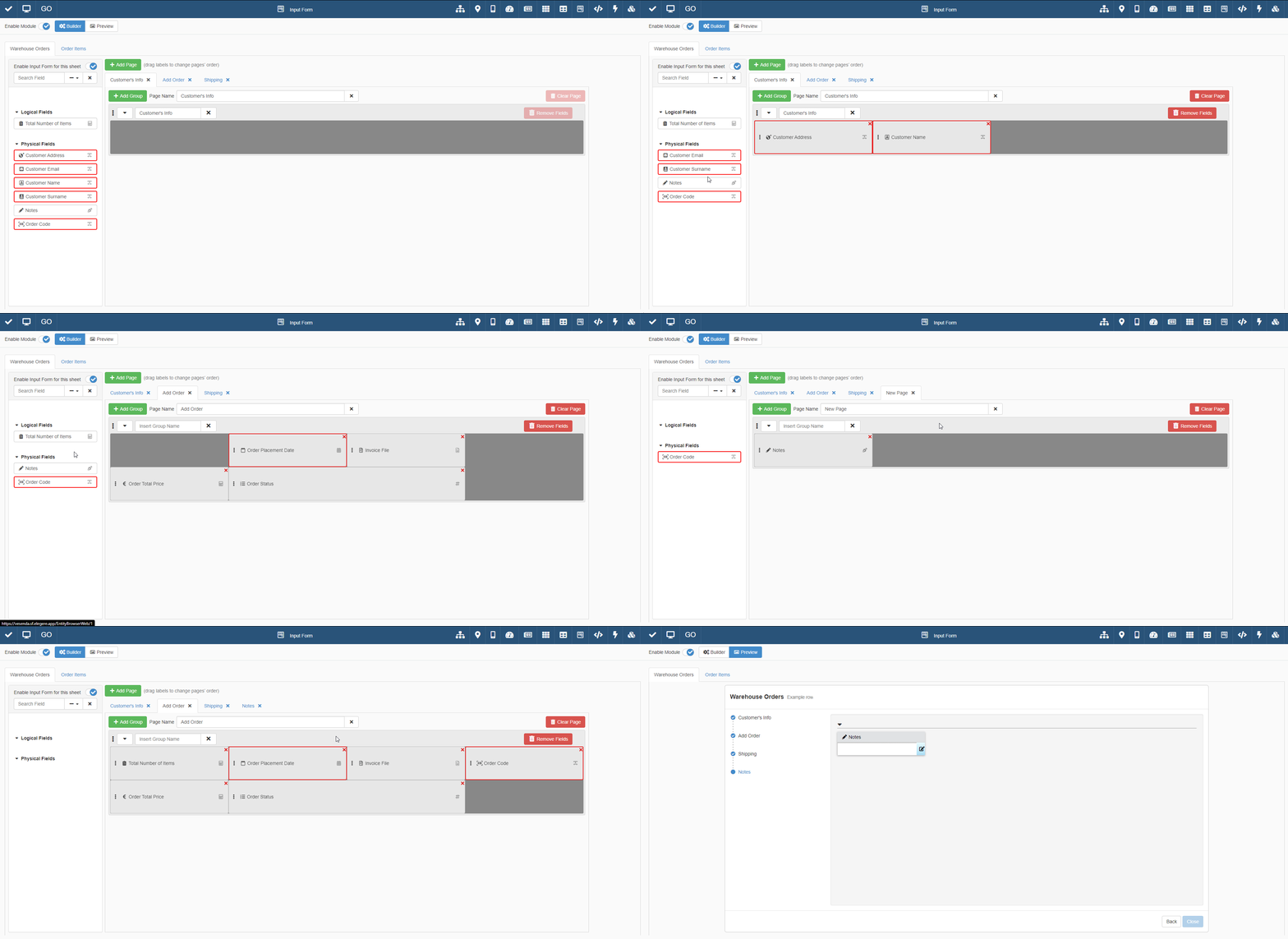
See Data Insertion in a Table through Multipage Form: Input Form and Customize the Multipage Form to Insert the Data on the Table: Input Form for more information about the new Input Form.