Linked Details and Properties - Make easier to filter information across Detail tables
In eLegere, Designers can build applications containing dozen of different Detail tables. Sometimes, it's difficult to filter data subsets through the Properties when similar information are scattered across multiple Details. If the user forgets to select a related field in the Properties, there might be the risk of excluding data from the subset.
The new Linked Details feature enables to link fields of the same data type across different Detail tables. If the user selects one a field from a Detail table in the Properties, the application includes all the linked fields in the other Detail tables automatically.
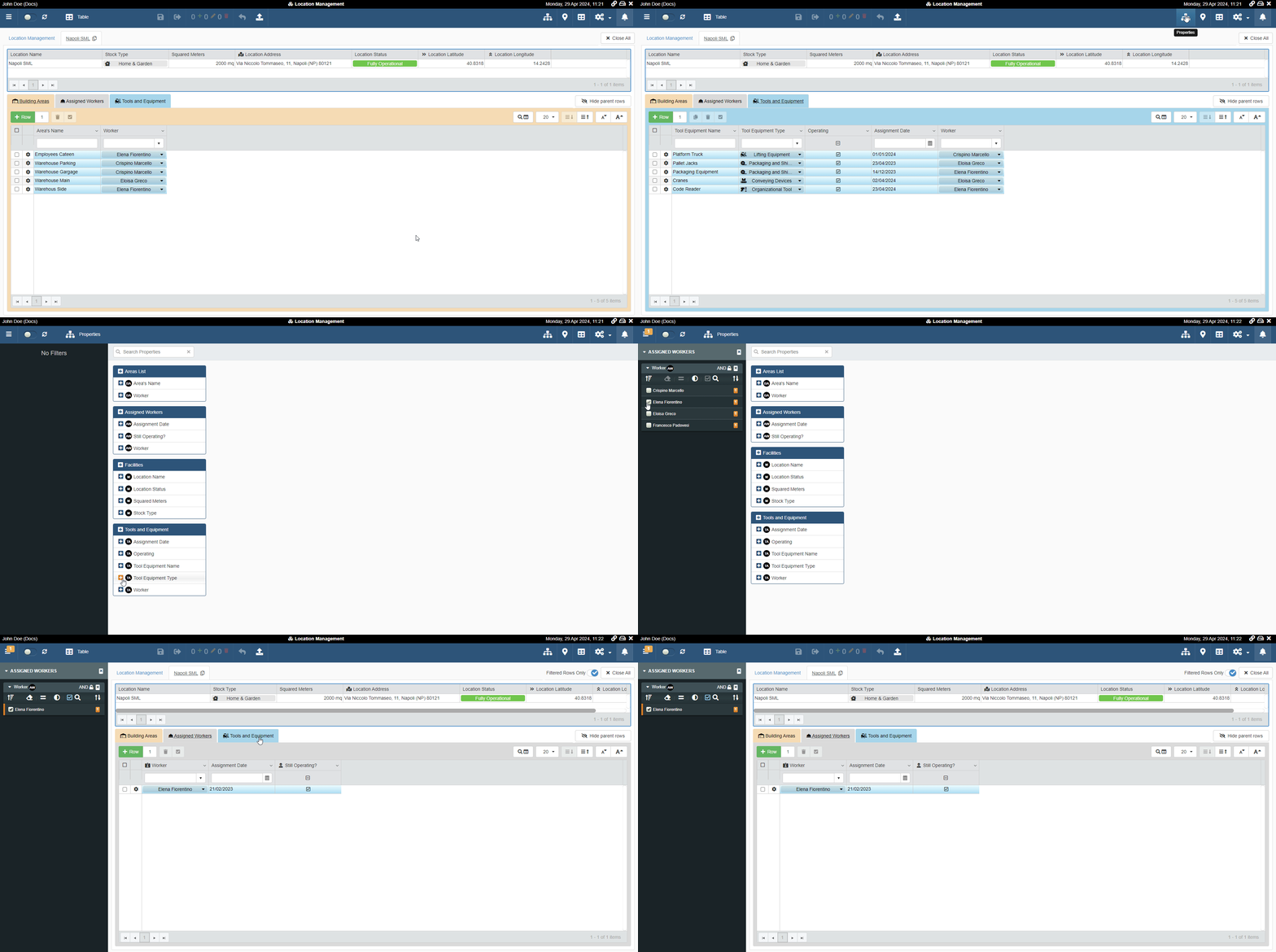
Example
Consider an application with three different Detail tables.

Each Detail table has a field with the same information, the workers assigned.
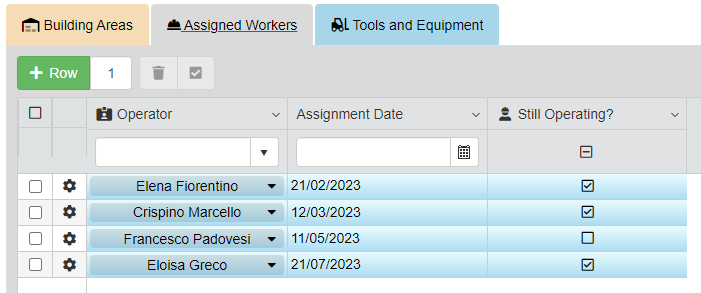
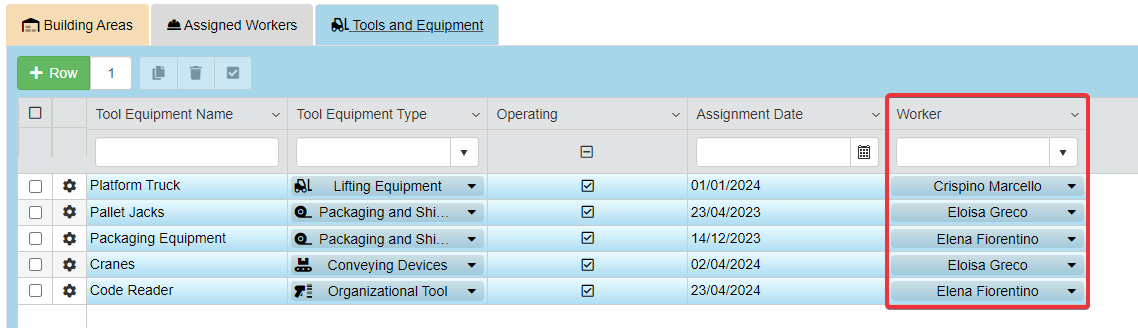
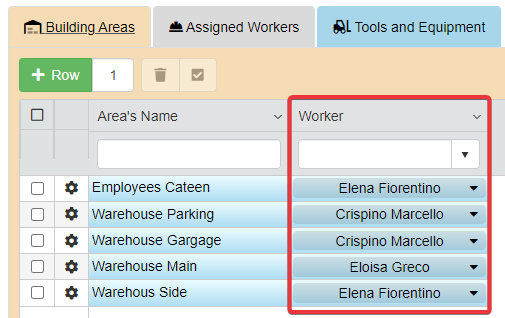
If the users want to filter all three the Detail tables in the Properties by an assigned worker, they should select the three field across the Details separately.
Thanks to the Linked Details, the Designers can now link different fields across the Detail tables to be filtered together.
When using Properties to filter employees, the application will include in the data subset all the rows related to the workers from all the Detail tables. It will happen even if the user hasn't chosen those fields in the Properties explicitly!
The Designer can link different fields across Detail tables through the new dedicated menu in Design Mode. Designers can enable the Linked Details and related settings in the Details sub-panel.
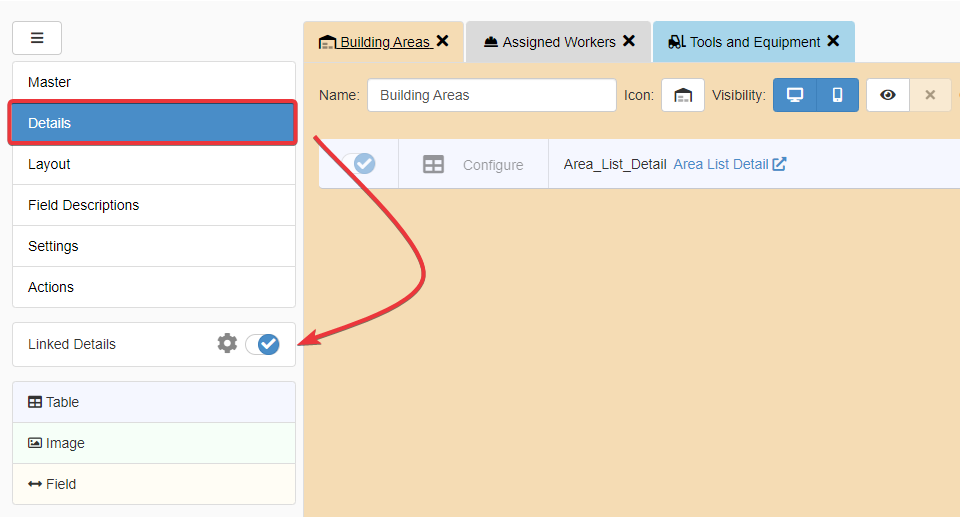
Check Linked Details: Connect Detail Tables to Be Filtered Together for more information about how to configure the Linked Details as Designer.